OpenStreetMap tiles
Map images are loaded from tile.openstreetmap.org every time a page with the store locator is displayed. The visitor's IP address and the map area being viewed are sent to OpenStreetMap as part of those requests.
WordPress plugin · v1.0.0
A lightweight store locator for WordPress — interactive map, smart filters and “near me” search, fully customisable to your brand, with no API key and no fees.
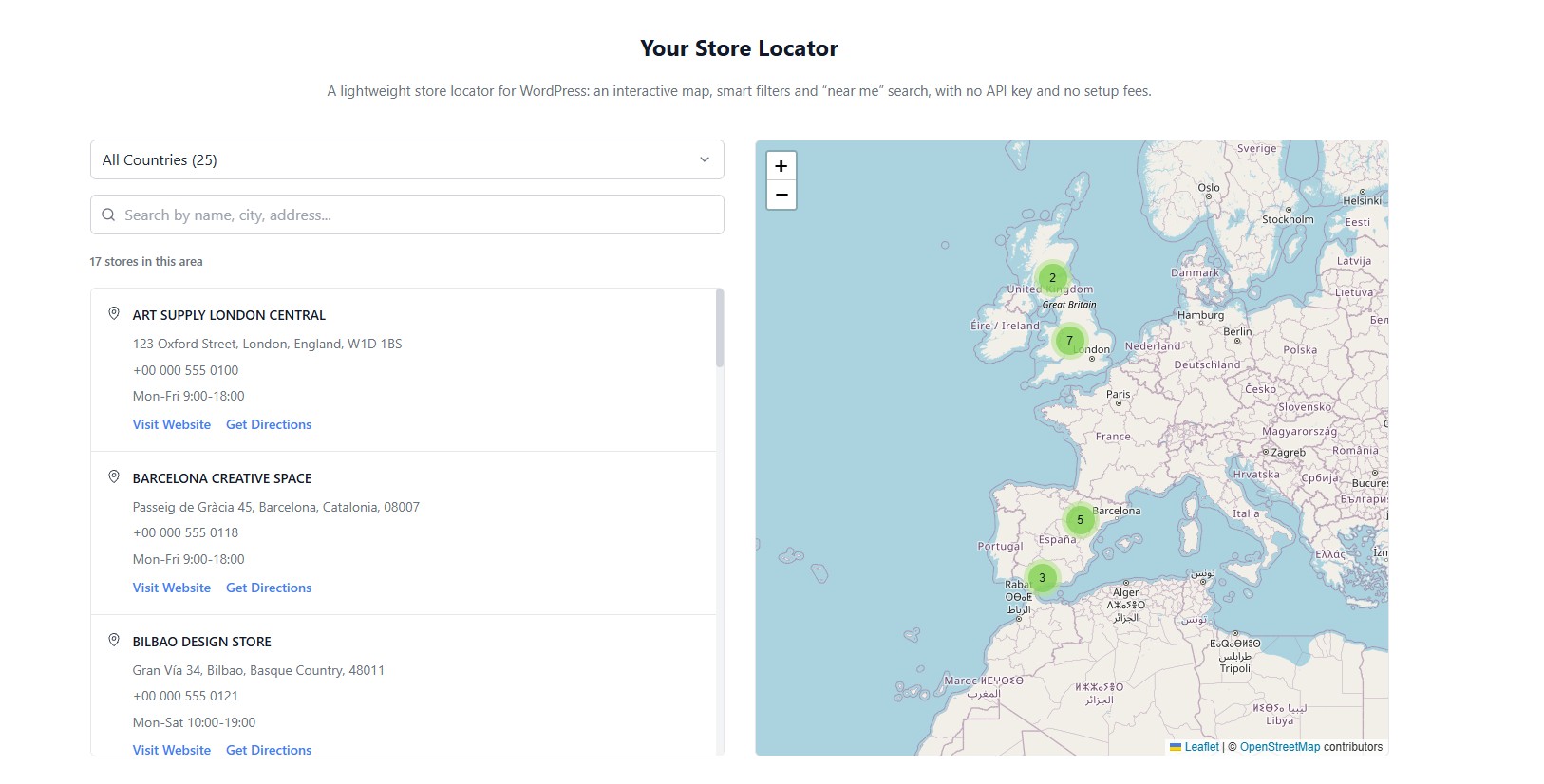
Display your store or office locations on an interactive map. Self-contained, with no third-party plugin dependencies (no ACF needed), and works with any properly coded WordPress theme.
Use the block in the editor, or the shortcode anywhere — including Elementor, Divi and WPBakery.
[bloom_desktop_store_locator title="Our stores in Spain" default_country="Spain" lock_country="1"]titledescriptiondefault_countrylock_countryfooterYes. The plugin is theme-independent and uses its own styles prefixed with bloom-desktop-.
No. The plugin uses native WordPress metaboxes and has no third-party plugin dependencies.
There is no hard limit. The list loads in batches as the visitor scrolls, the map groups nearby markers, and the list can follow the visible map area so large catalogues stay manageable.
Yes. Each block or shortcode has its own title, description, default country, “only show this country” option and footer text, so one page can be “Our stores in Spain” and another “Our stores in the United Kingdom”.
Yes. The plugin uses Leaflet (open source) and OpenStreetMap tiles (free). No API key is required.
Go to Store Locator → Settings → Import & Export. Required columns: title, latitude, longitude, country. Optional: address, city, state, zipcode, phone, website, hours. A row whose title and coordinates match an existing store updates it instead of creating a duplicate.
Nothing, unless you enable “Delete all stores and settings when the plugin is deleted” in the settings. Deactivating the plugin never deletes data.
This plugin relies on the following third-party services. None of them receives any data until the action described happens.
Map images are loaded from tile.openstreetmap.org every time a page with the store locator is displayed. The visitor's IP address and the map area being viewed are sent to OpenStreetMap as part of those requests.
Admin only. When an editor clicks “Get coordinates from address”, the typed address is sent to nominatim.openstreetmap.org to obtain its coordinates. Site visitors never contact this service.
Each store has a “Get Directions” link that opens Google Maps in a new tab with the store's coordinates. Nothing is sent to Google unless the visitor clicks the link.
Bundled in minified form. Non-minified sources:
Questions, bugs or feature requests? Email hello@bloomdesktop.com.